


-
Scientific Calculators & Digital Tool Reviews
Posted in: Consumer ReviewsSeries of videos testing and exploring the features of scientific and graphing calculators


-
-

-
Playlist Content
-

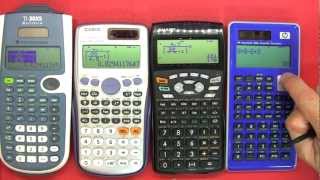 1. Scientific Calculator review / buyers guide / comparison
In this review I talk about calculators and how the new Scientific calculators with a textbook view format make it far easier to enter algebra expressions.
I talk about the maths tutorials I would I like to run using applied maths to make learning easier and fun if folks are interested.
I also mention the the Texas Instruments TI-Nspire CX CAS (Computer Algebra System) calculator that I would like to purchase.
Calculators and other terms mentioned in this video:
* Dual powered calculator – Solar and battery
* Multi line display with cursor for editing* Texas Instruments TI-30XS Multiview Calculator
http://education.ti.com/en/us/product…* Casio fx-991ES Plus with Natural Textbook Display
http://edu.casio.com/products/adves/f…* Sharp EL-W535HT with WriteView
http://www.sharpsa.co.za/cgi-bin/inde…* HP SmartCalc 300s with Textbook Format Display (TFD)
http://h10010.www1.hp.com/wwpc/us/en/…* AP and SAT exams
http://en.wikipedia.org/wiki/Graphing…
A graphing calculator (also graphics / graphic calculator) typically refers to a class of handheld scientific calculators that are capable of plotting graphs, solving simultaneous equations, and performing numerous other tasks with variables. Most popular graphing calculators are also programmable, allowing the user to create customized programs, typically for scientific/engineering and education applications. Due to their large displays intended for graphing, they can also accommodate several lines of text and calculations at a time. Integration / Differential Equation calculation Matrix calculations / Vector calculations Complex number calculation CALC function / SOLVE function Base-n calculation Fraction calculation Combination and Permutation Logarithm log List-based STAT data editor Standard deviation Paired-variable statistics regression analysis Logical operations Table function 40 scientific constants 40 metric conversions (20 conversion pairs) 9 variable memories Comes with new slide on hard case -
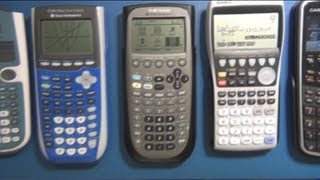 2. CAM #0 - Calculators and Maths - Introductory video
This is the introductory video on a new series on Calculators and Maths (CAM). I will review calculators, do calculator tutorials and compare calculators using math exercises.
In this video I start off with a part 1 review of the following:
Texas Instruments TI-84 Plus, Texas Instruments TI-89 Titanium, Casio USB FX-9860GII,Casio Prizm FX-CG10, Texas Instruments Nspire CX CAS, HP 50g, coming soon…the HP Prime.Support my video blogging…buy your calculator here:
http://astore.amazon.com/m0711-20?nod…Questions I hope to answer in future video reviews and tutorials:
What calculator do I need for school?
What calculator do I need for college?
What is the best calculator for algebra?
What is the best calculator for graphing / graphs?
What is the best calculator for calculus?
What is the best calculator for trigonometry?
How to use my calculator?
How to use RPN / Reverse Polish Notation? -
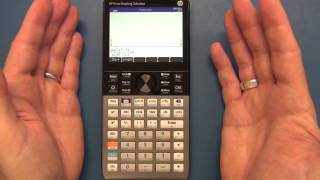 3. CAM #1 - HP Prime Graphing Calculator Arrival and Review
An introduction and initial review of the the HP Prime colour (color) graphing touch screen calculator. I also put it side by side with the Ti Nspire to compare size. This is a very nice machine!
Support my video blogging…buy your calculator here:
Buy the HP Prime here:
http://astore.amazon.com/m0711-20/det…All other calculators here:
http://astore.amazon.com/m0711-20?nod…Questions I hope to answer in future video reviews and tutorials:
What calculator do I need for school?
What calculator do I need for college?
What is the best calculator for algebra?
What is the best calculator for graphing / graphs?
What is the best calculator for calculus?
What is the best calculator for trigonometry?
How to use my calculator?
How to use RPN / Reverse Polish Notation?http://h20195.www2.hp.com/V2/GetPDF.a…
The calculator you’ll want to hold on to.
Say hello to the evolution of handheld calculating in a
sleek, slim, brushed metal design that looks great and
performs even better. Keep the calculator protected when
it’s not in use with a slide
-on cover.
Enjoy a feature-rich calculating experience with familiar HP
keypad and a large 3.5-inch diagonal, multi-touch display.
Powerful applications.
We don’t stop at hardware. You also get an integrated tool
suite. HP Equation Writer supports multiple linear and non-
linear equation solving. HP Solve is time-saving application
that allows you to store equations and solve for variables.
Explore math concepts with Dynamic Geometry, CAS and
spreadsheet applications. Easily switch between symbolic,
graphical, and numerical table views of any mathematical
expression with dedicated buttons.
With the Advanced Graphing app, you can plot what other
calculators cannot. Graph virtually anything in X and Y
including inequalities and conic sections by simply entering
the expression and pressing plot.
Save time and keystrokes with RPN and programmable
functions, and see intermediate results while you work.
Turn the calculator into a customizable testing tool with
exam mode configuration that makes only pre-approved
functions available. -
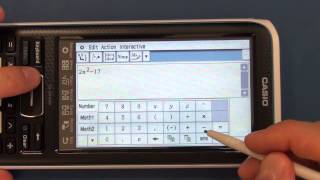 4. CAM #2 - Casio II FX-CP400 ClassPad Calculator, Arrival and Review
An initial review of the Casio fx-CP400 ClassPad Graphing Calculator with CAS. The ClassPad makes use of a touch screen with a stylus which might be a challenge for some…or make it easy to use…?
Support my video blogging…buy your calculator here:
Buy the Casio Graphing Calculator FX-CP400 here:
http://astore.amazon.com/m0711-20/det…Buy the HP Prime here:
http://astore.amazon.com/m0711-20/det…All other calculators here:
http://astore.amazon.com/m0711-20?nod…Questions I hope to answer in future video reviews and tutorials:
What calculator do I need for school?
What calculator do I need for college?
What is the best calculator for algebra?
What is the best calculator for graphing / graphs?
What is the best calculator for calculus?
What is the best calculator for trigonometry?
How to use my calculator?
How to use RPN / Reverse Polish Notation?http://edu.casio.com/products/classpa…
The new fx-CP400 is the first in the ClassPad series to be equipped with a color display. It also boasts resolution 4.4 times higher* than the previous ClassPad. The large color LCD makes it easy to observe mathematical formulas, graphs, and images, realizing more comfortable operation.
-
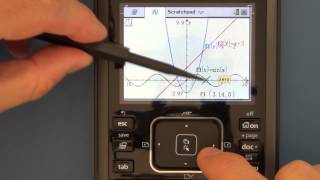 5. CAM #3 - Review of Graphing Calculators Part 2 - Graphing
In this video I test the ease of entering functions / equations and then graphing them. We look at the performance as well as the ease of navigating around the graphs (zoom in, zoom out, zoom box, tracing a graph):
Texas Instruments TI-84 Plus, Texas Instruments TI-89 Titanium, Casio USB FX-9860GII,Casio Prizm FX-CG10, Texas Instruments Nspire CX CAS, HP 50g, HP Prime, Casio II FX-CP400 ClassPad.
Support my video blogging… buy your calculator here:
The HP Prime here:
http://astore.amazon.com/m0711-20/det…All other calculators here:
http://astore.amazon.com/m0711-20?nod…Questions I hope to answer in future video reviews and tutorials:
What calculator do I need for school?
What calculator do I need for college?
What is the best calculator for algebra?
What is the best calculator for graphing / graphs?
What is the best calculator for calculus?
What is the best calculator for trigonometry?
How to use my calculator?
How to use RPN / Reverse Polish Notation? -
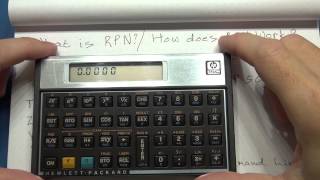 6. CAM #4 Part 1- Reverse Polish Notation and how to use it
In this video we take a look at RPN (Reverse Polish Notation) and how it is used on the HP 15C (HP12C) and HP 50g.
We look at the concept of memory stacks and the use of RPN vs algebraic notation to solve arithmetic.
Wiki on Jan Łukasiewicz – Polish logician and philosopher
http://en.wikipedia.org/wiki/Jan_%C5%…Support my video blogging…buy your calculator here:
HP 50g Graphing Calculator
http://astore.amazon.com/m0711-20/det…
HP 15C Scientific Calculator
http://astore.amazon.com/m0711-20/det…
HP 12C Financial Calculator
http://astore.amazon.com/m0711-20/det…
Buy the HP Prime here:
http://astore.amazon.com/m0711-20/det…
All other calculators here:
http://astore.amazon.com/m0711-20?nod… -
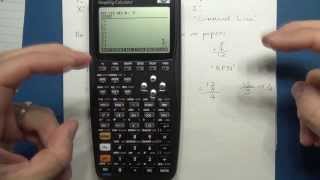 7. CAM #4 Part 2- Reverse Polish Notation and how to use it
In this video we take a look at RPN (Reverse Polish Notation) and how it is used on the HP 15C (HP12C) and HP 50g.
We look at the concept of memory stacks and the use of RPN vs algebraic notation to solve arithmetic.
Wiki on Jan Łukasiewicz – Polish logician and philosopher
http://en.wikipedia.org/wiki/Jan_%C5%…Support my video blogging…buy your calculator here:
HP 50g Graphing Calculator
http://astore.amazon.com/m0711-20/det…
HP 15C Scientific Calculator
http://astore.amazon.com/m0711-20/det…
HP 12C Financial Calculator
http://astore.amazon.com/m0711-20/det…
Buy the HP Prime here:
http://astore.amazon.com/m0711-20/det…
All other calculators here:
http://astore.amazon.com/m0711-20?nod… -
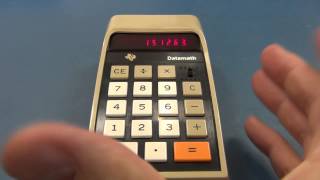 8. CAM #5 - TI-2500, HP10bII+ and calculator performance benchmarking
In this video I talk about the vintage TI-2500 Datamath calculator I bought off eBay. I highlight the things you need to look out for when buying older calculators off eBay.
http://www.datamath.org/BASIC/DATAMAT…
We take a quick look at the HP10bII+ financial calculator. In the future I’ll be doing tutorials on this and the HP12C.
I discuss the calculator performance benchmarking tools I’m putting together so we can compare the performance of all the graphing calculators.
One of these will be the 8 / N Queens problem / algorithm:
http://jsomers.com/nqueen_demo/nqueen…
http://www.hpmuseum.org/cgi-sys/cgiwr…Support my video blogging…buy your calculator here:
http://astore.amazon.com/m0711-20?nod… -
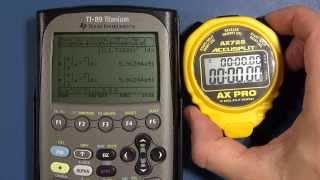 9. CAM #6 - Calculator Performance Benchmark / Tests
In this video I run a calculator performance benchmark / calculator speed test (definite integral function):
TI-36X Pro vs HP 50G vs Casio fx – 9860GII vs Casio fx – CG10 vs
TI-nSpire CX CAS vs HP Prime vs TI-89 Titanium vs TI-84 Plus SE vs
Casio II FX-CP400 ClassPadI also chat about the other performance benchmarks I’m working on: Graphical / graphing performance test and the 8 Queens / N Queens algorithm.
Support my video blogging…buy your calculator here:
http://astore.amazon.com/m0711-20?nod…
-
-
-
A graphing or scientific calculator is a good tool to have but only if it performs all of the functions you need. These reviews show what functions they include and how well they perform them. You can watch all of the videos for a good overall knowledge base or just choose only the ones that pertain to your needs.
-
Please support the creation of new video content on MJLorton.com by turning off your ad-blocker
Thanks, Martin
-
Please support MJLorton.com and our sponsors at Programming Electronics Academy by turning off your ad-blocker
Thanks, Martin
-
Please support MJLorton.com and our sponsors at Programming Electronics Academy by turning off your ad-blocker
Thanks, Martin
-
Please support MJLorton.com and our sponsors at Tektronix by turning off your ad-blocker
Thanks, Martin
-
Please support MJLorton.com and our sponsors at Rheingold Heavy by turning off your ad-blocker
Thanks, Martin
-
Please support MJLorton.com and our sponsors at Contextual Electronics by turning off your ad-blocker
Thanks, Martin